Fewer "what time is…?" questions
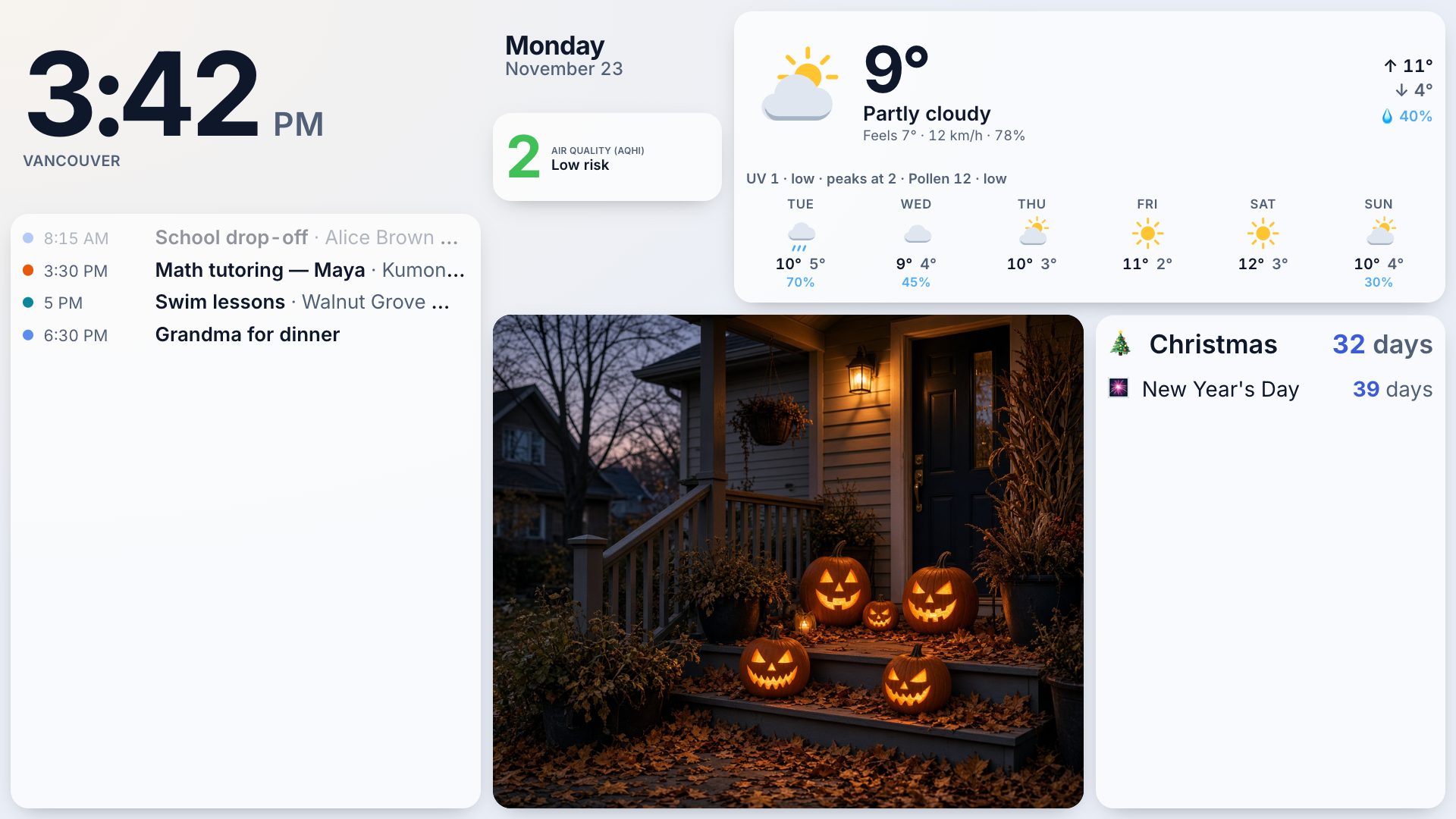
Clocks for Vancouver and Toronto, the date, sunrise and sunset, and today's calendar sit where everyone walks past.


Family wall dashboard
A colourful wall dashboard for the family kitchen: calendars, weather, photos, chores, meals, transit and the smart home, on any screen with a browser.
Three steps
Magic-link sign-in. Drag widgets onto a 12×8 grid sized for 1920×1080, with live preview as you edit.
Google Calendar and Tasks, photos, Home Assistant, TransLink stops, sports teams, commute places — each from Settings.
Each screen gets a secret /d/ link. It follows morning, afternoon, evening and night views, and polls for changes every 30 seconds.
On the wall
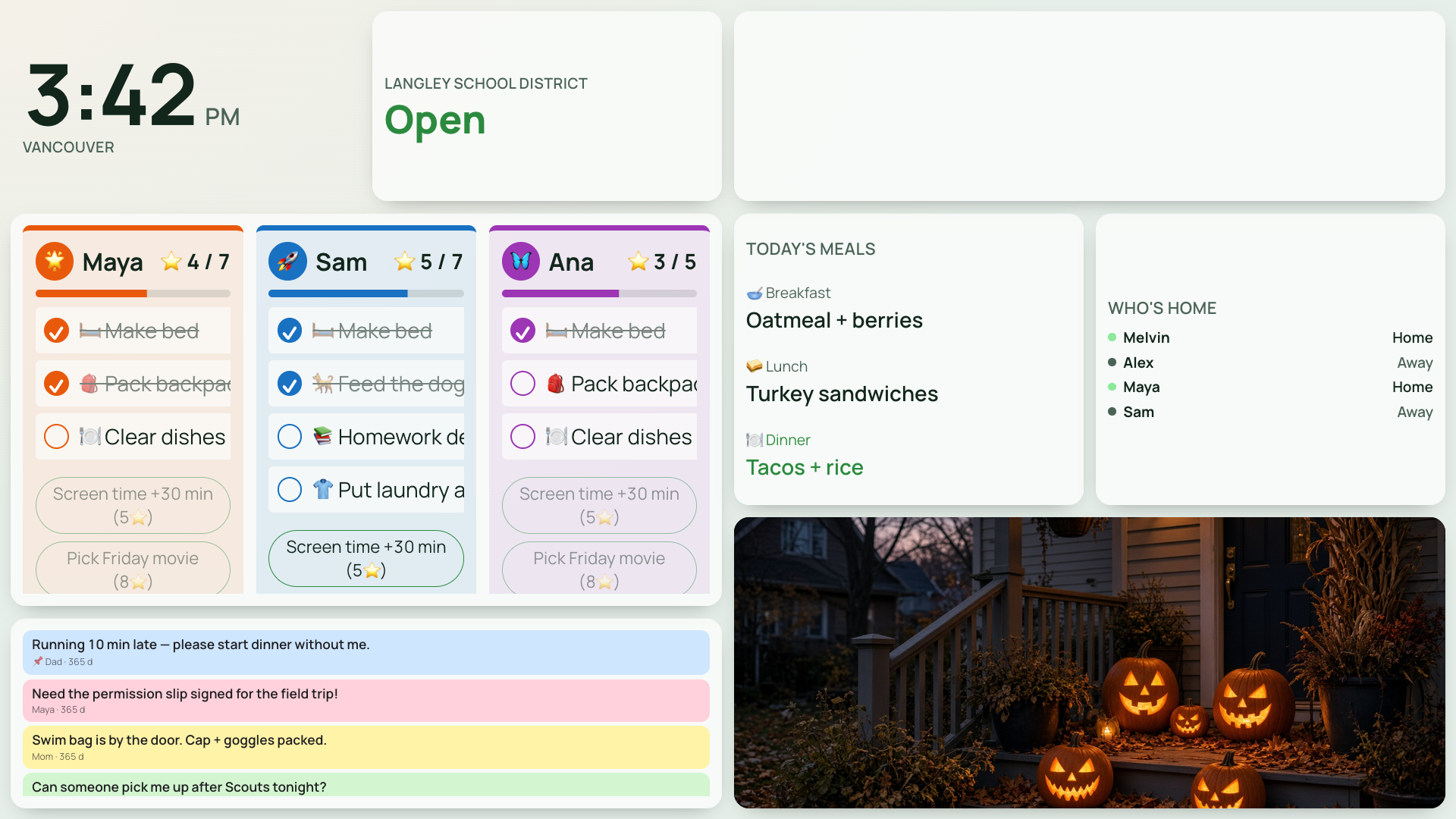
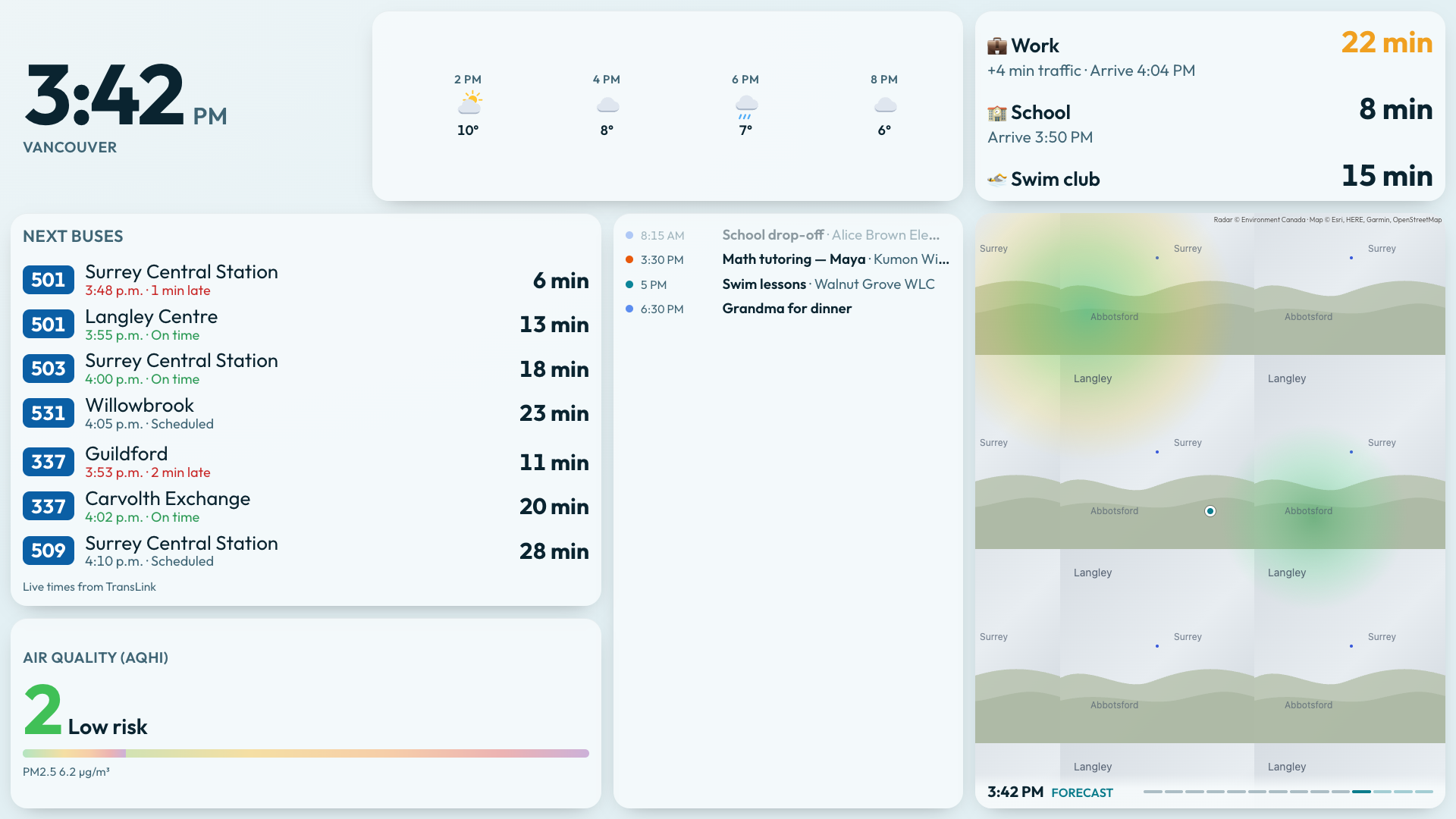
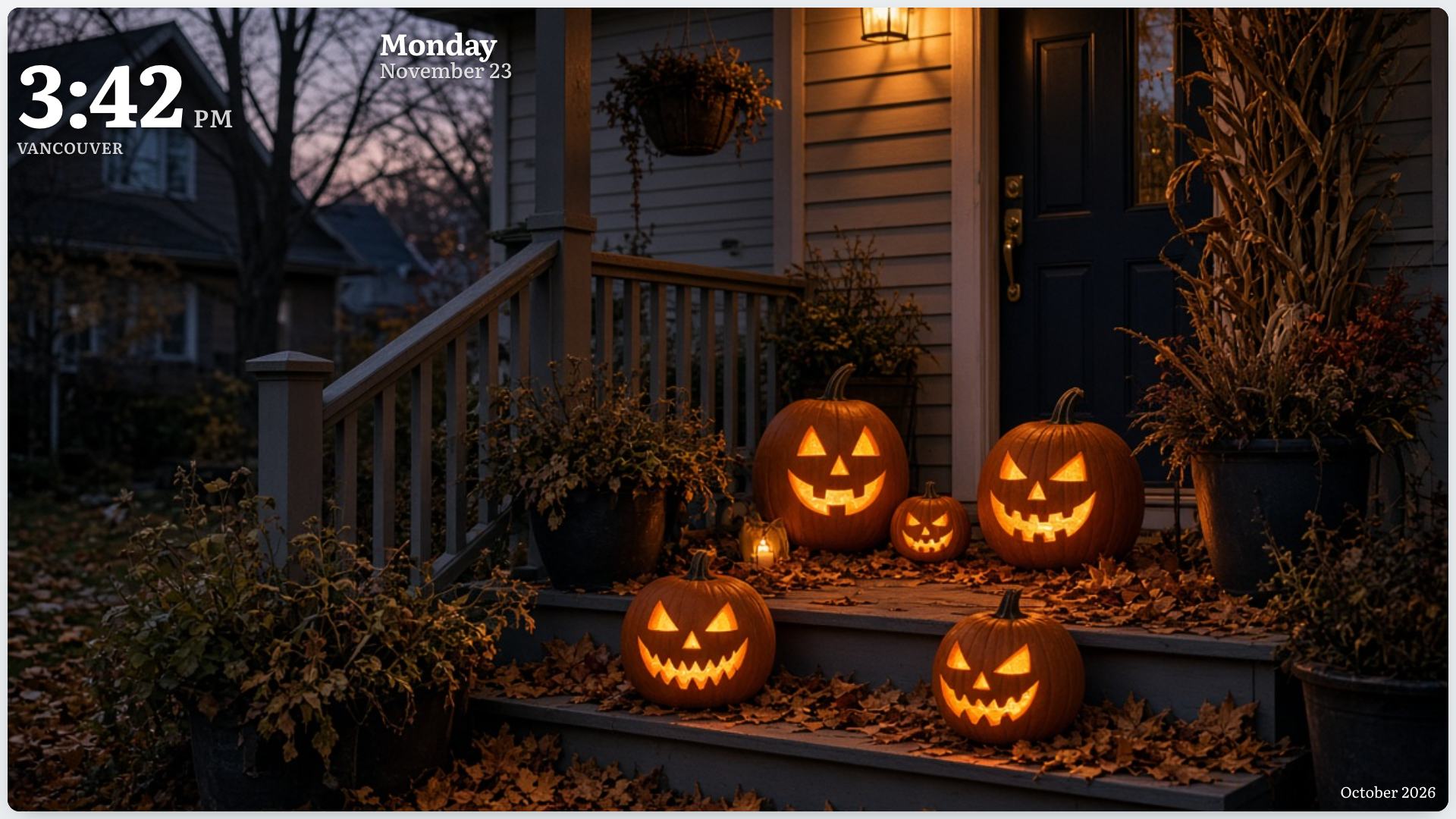
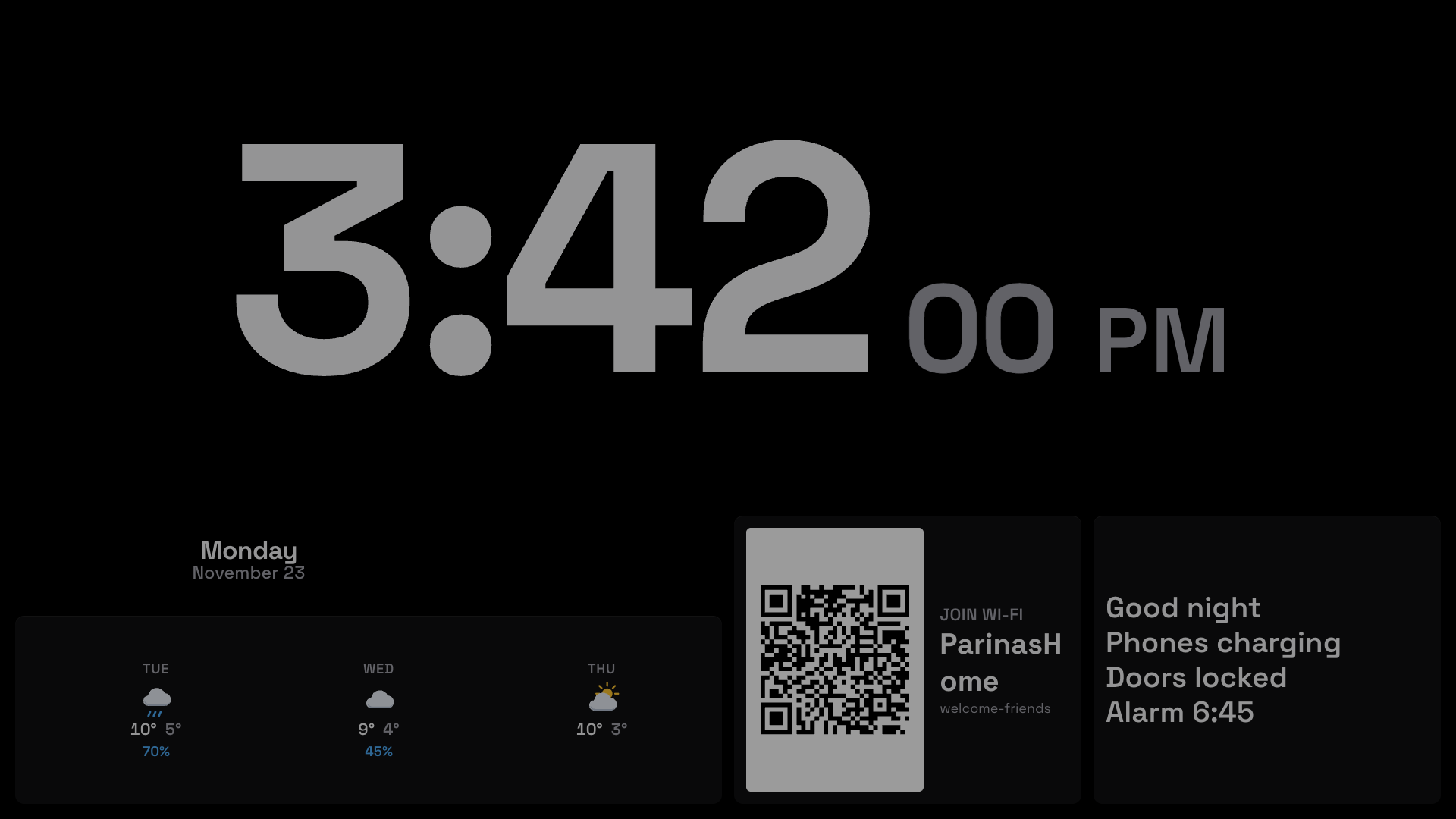
Real starter layouts from the Views tab — the same screenshots families pick when they set up a wall.
Google Calendar, iCal links and family events share a today schedule and a month grid. Tap Google Tasks to tick them off — synced back with a four-second undo.
Kids earn stars on the chore chart. Breakfast, lunch and dinner plan from a phone. The shopping list ticks off with a tap when you allow it.
Next buses from your TransLink stops, drive times with live traffic, rain radar over the Lower Mainland and BC Ferries sailings with how full they are.
Amazon albums, Google Photos picks and your own library fill the wall. Other widgets sit on top with a readable panel, and a screen saver keeps the kitchen calm at night.
Why families keep it up
Clocks for Vancouver and Toronto, the date, sunrise and sunset, and today's calendar sit where everyone walks past.
Chores rotate fairly, stars add up to a weekly goal, and a second tap takes a tick back — no nagging app on a phone they ignore.
Home Assistant lights, climate and locks (lock only), UniFi doorbell full-screen, Spotify or Sonos now-playing, and who's home.
Langley garbage zones, SD35 school status, Alert Ready, Environment Canada warnings, DriveBC, earthquakes and BC Hydro outages on a dismissible red strip.
Everything on the pane
Thirty-plus widget types, each with its own settings. Free covers the essentials; Household unlocks the rest.
Pricing
No ads on either plan. Household is about $4.92 a month when you pay yearly.
Two wall displays with the essentials. No card, no ads.
$0
Forever free · 2 displays · 1 view
The whole house on every screen. Best value for a busy family.
$59 / year
or $7 / month · save $25 yearly
| Feature | Free | Household · best value |
|---|---|---|
| Wall displays | 2 | 20 |
| Views | 1 | 30 |
| Clock, date, weather, air quality | ✓ | ✓ |
| Photos, notes, WiFi QR, countdowns | ✓ | ✓ |
| Google Calendar | 2 calendars | Up to 50 |
| iCal calendar links | — | ✓ |
| Google Tasks (tap to tick) | — | ✓ |
| Meals, shopping list, message board | — | ✓ |
| Chore chart with stars | — | ✓ |
| TransLink, commute, rain radar, BC Ferries | — | ✓ |
| Sports scores | — | ✓ |
| Home Assistant & UniFi cameras | — | ✓ |
| Music (Spotify, Sonos, HA) | — | ✓ |
| Timers & pomodoro | — | ✓ |
| Garbage day (Township of Langley) | — | ✓ |
| School status & who's home | — | ✓ |
| Emergency alerts + email | Strip only | Strip + email |
| Multi-view & time-of-day schedule | — | ✓ |
| Screen saver | — | ✓ |
| Instant display refresh | — | ✓ |
| Ads | None | None |
Prefer a deeper look? See the pricing page and how we compare to DAKboard, Skylight, MagicMirror and Echo Show.
Blog
Release notes, setup guides and deep comparisons — written so families can find Everydaypane when they search.
Good to know
Everydaypane is a wall dashboard for the home. It shows your family's calendars, weather, photos, chores, meals, transit, sports and smart-home controls on a kitchen screen — built to feel fast on tablets, wall panels and any browser.
Yes. Free covers two displays, one view, clocks, weather, notes and two Google calendars. Household unlocks every widget, more displays and views, photos, Home Assistant, transit, chores, meals and more for $7 a month or $59 a year — the best value for most households.
No. Everydaypane runs in a browser. It is tuned for a landscape kitchen panel around 1920×1080, and it works on tablets, smart displays and any screen you already have.
Everydaypane ships kitchen integrations out of the box: Township of Langley garbage, TransLink, BC Ferries, Environment Canada radar, Alert Ready and BC Hydro outages, plus Home Assistant, chores and meals. The wall display is a lightweight page under 40 KB of script — not a heavy web app — so it stays snappy on low-power screens.
Yes, when you allow it on a widget. Taps sync back (Google Tasks and the shopping list included), with an undo window on tasks so a stray tap isn't permanent.
No, and there never will be. The Household plan is how Everydaypane stays free of ads and tracking.
Start on Free in a few minutes. Upgrade to Household when you want every widget — still no ads.
Start free